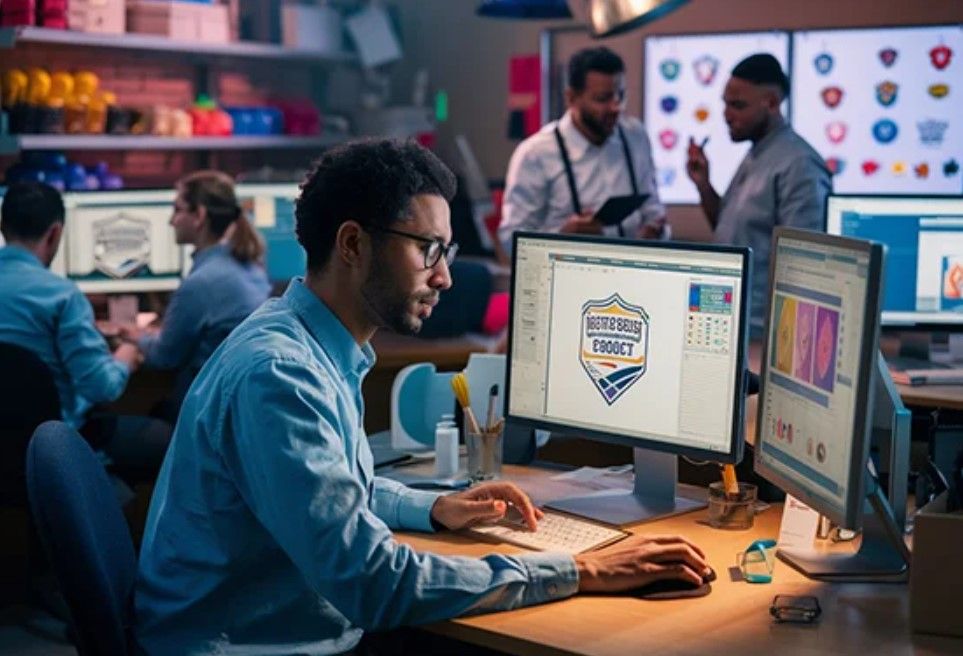
Simplify Your Design Process with Vector Artwork Conversion Services
Turning your artwork into professional, stitch-ready designs for embroidery can feel like a daunting task, but vector artwork conversion services make it a breeze. Whether you’re a small business owner branding apparel, a designer crafting custom fashion, or a crafter personalizing gifts, converting your artwork into vector-based formats ensures precision and versatility for embroidery machines. This guide explores how these services streamline your design process, their benefits, and tips to get the best results. Let’s dive into the power of vector artwork conversion services.
What Are Vector Artwork Conversion Services?
Vector artwork conversion services transform your images—such as JPGs, PNGs, or sketches—into vector-based formats like AI, SVG, or EPS, which are ideal for embroidery digitizing. Unlike raster images, vector files use mathematical paths to create scalable, clean designs with sharp lines, making them perfect for creating stitch-ready files like PES or DST. These services, offered by professionals or software, ensure your artwork is embroidery-ready, saving time and ensuring high-quality results.
Why Use Vector Artwork Conversion Services?
Converting artwork to vector formats offers several advantages:
Scalability: Resize designs without losing clarity, perfect for embroidery.
Precision: Clean lines and shapes translate seamlessly into stitches.
Versatility: Use vectors for embroidery, printing, or other applications.
Time Savings: Professionals handle complex conversions, freeing you to focus on creativity.
Professional Quality: Ensure designs look polished on any fabric or product.
These benefits make vector conversion a must for embroidery projects.
How Vector Conversion Services Work
The process is straightforward, especially with professional services. Here’s how it typically goes:
Step 1: Submit Your Artwork
Provide your artwork in any format—JPG, PNG, or even a hand-drawn sketch. Bold designs with clear outlines and 3–5 colors work best for embroidery, as intricate details or gradients can complicate stitching. Include details like the intended use (e.g., embroidery for shirts), fabric type, and desired size to guide the conversion.
Step 2: Artwork Analysis
The service evaluates your artwork, considering:
Image Quality: Low-resolution or blurry images may need cleanup.
Complexity: Simple logos require less work than detailed illustrations.
Embroidery Needs: The design must suit stitch requirements, like bold shapes.
Output Format: AI, SVG, or EPS for vector files, or directly to PES/DST for embroidery.
This ensures the vector file aligns with your project goals.
Step 3: Vector Conversion
Using software like Adobe Illustrator or CorelDRAW, professionals trace your artwork to create a vector file:
Manual Tracing: Outline shapes with precision, ensuring clean lines.
Color Simplification: Reduce colors to 3–5 for embroidery compatibility.
Path Optimization: Remove unnecessary points to keep the file clean and scalable.
File Export: Save as AI, SVG, or EPS, or proceed to digitize for embroidery formats.
Manual tracing ensures accuracy, especially for complex designs.
Step 4: Quality Check
The service reviews the vector file for clarity and scalability, ensuring it meets embroidery standards. They may provide a preview or convert the vector directly into an embroidery file (e.g., PES or DST) for testing. You might receive a digital mockup to approve before final delivery.
Step 5: File Delivery
The finalized vector file (AI, SVG, or EPS) or embroidery file is delivered, ready for use. Transfer the embroidery file to your machine via USB or direct connection, or use the vector file for further digitizing or other applications.
Benefits of Vector Artwork Conversion Services
These services enhance your design process in several ways:
Streamlined Workflow: Professionals handle technical tasks, saving you time.
Embroidery-Ready Designs: Vectors ensure clean stitches for logos or patterns.
Multi-Use Files: Use vectors for embroidery, printing, or signage.
Consistency: Uniform designs for bulk orders, ideal for branding.
High-Quality Results: Sharp, scalable artwork elevates your projects.
For example, a boutique can convert a logo into a vector for consistent embroidery on scarves, while also using it for printed marketing materials.
Tips for Using Vector Conversion Services
Maximize your results with these tips:
Submit Clear Artwork: Provide high-resolution images to avoid cleanup fees ($5–$20).
Specify Embroidery Details: Share fabric type, hoop size, and placement (e.g., cap front).
Request Previews: Confirm the vector or embroidery file matches your vision.
Test Embroidery Files: Stitch on scrap fabric with the right stabilizer (cut-away for knits, tear-away for cotton).
Communicate Goals: Explain if the design is for branding, fashion, or crafts.
Choosing a Vector Conversion Service
Look for a reliable provider with these qualities:
Experience: Portfolios showcasing vector conversions for embroidery or branding.
File Compatibility: AI, SVG, EPS, or embroidery formats like PES or DST.
Turnaround Time: 24–48 hours for urgent projects.
Pricing: $10–$100 per design, based on complexity.
Support: Revisions or consultations for perfect results.
Reviews: Testimonials for quality and reliability.
Start with a small project or request a sample to test their work.
Costs of Vector Conversion Services
Pricing depends on artwork complexity:
Simple Designs: Basic logos or text cost $10–$25.
Medium Designs: Designs with 3–5 colors or moderate detail cost $25–$50.
Complex Designs: Intricate artwork or detailed illustrations cost $50–$100.
Extras: Rush orders ($5–$20) or embroidery file conversion ($10–$50) may add costs.
These costs are a worthwhile investment for scalable, professional designs.
DIY vs. Professional Conversion
DIY conversion with free tools like Inkscape or paid software like Adobe Illustrator ($20/month) is budget-friendly but requires learning. You can trace images manually or use auto-trace features, then export as SVG or AI. However, professional services are better for:
Complex artwork needing precision.
Time-sensitive projects or bulk orders.
Designs requiring direct embroidery file conversion.
For beginners or businesses, outsourcing ensures efficiency and quality.
Common Mistakes to Avoid
Low-Quality Artwork: Blurry images lead to poor vectors or extra fees.
Vague Instructions: Specify fabric, size, and use to avoid errors.
Skipping Previews: Review vector or embroidery files before final stitching.
Ignoring Fabric Needs: Ensure designs suit your material (e.g., avoid complex designs on stretchy knits).
How to Use Your Vector File
Once you receive the vector file (AI, SVG, or EPS), you can:
Digitize for Embroidery: Import into embroidery software like Brother PE-Design or Ink/Stitch to create a PES or DST file.
Use for Other Projects: Apply the vector to printing, signage, or web graphics.
Test the Embroidery File: Stitch on scrap fabric with the appropriate stabilizer—cut-away for stretchy fabrics, tear-away for stable ones. Check for thread breaks or puckering.
If the service provides an embroidery file, transfer it to your machine via USB or direct connection and test it before stitching on final materials.
The Role in Fashion and Branding
Vector conversion services are vital for:
Fashion: Designers convert patterns into vectors for precise embroidery on dresses or jackets, ensuring scalability for different sizes.
Branding: Businesses create clean, vector-based logos for consistent stitching on uniforms or merchandise, reinforcing brand identity.
Crafts: Hobbyists convert sketches into vectors for personalized gifts, like embroidered towels or quilts, adding a professional touch.
The scalability and clarity of vectors make them perfect for these applications.
Conclusion
Vector artwork conversion services simplify your design process, turning your images into scalable, embroidery-ready files that elevate fashion, branding, and craft projects. By providing clean, versatile vectors, these services save time, ensure professional quality, and support a range of applications. Whether you hire professionals or try DIY tools, submit clear artwork, communicate your needs, and test files for flawless results. From logos on apparel to patterns on decor, vector artwork conversion services transform your creative vision into vibrant, stitched designs that make every project shine.
Appreciate the creator