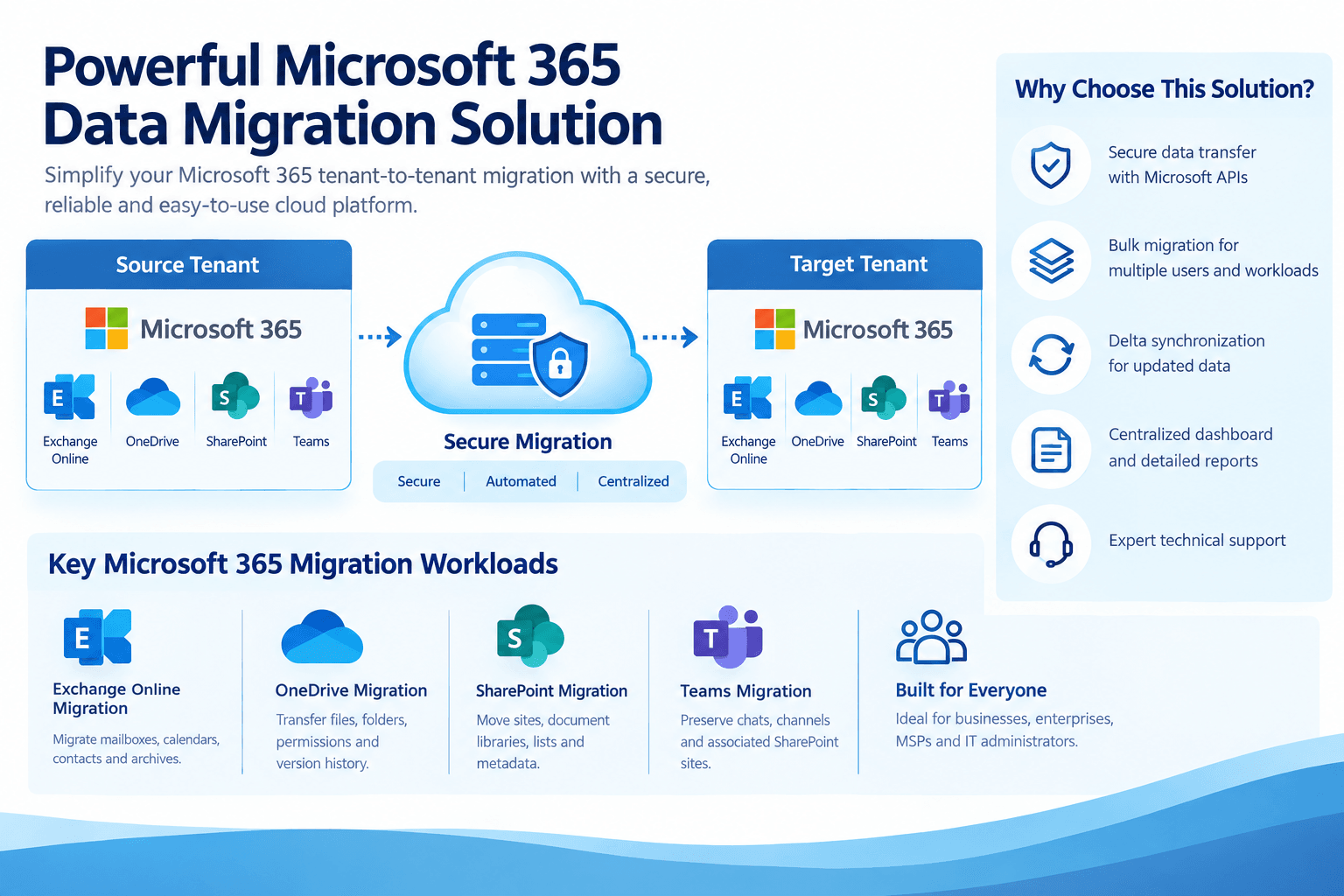
Powerful Microsoft 365 Data Migration Solution | CloudBik
Microsoft 365 has become an essential platform for businesses managing emails, documents, team collaboration, and business communication. As organizations grow, merge, restructure, or upgrade their IT infrastructure, they may need to move their data from one Microsoft 365 tenant to another.
However, Microsoft 365 tenant-to-tenant migration involves more than simply transferring files and mailboxes. Businesses must consider data security, mailbox content, OneDrive files, SharePoint sites, Teams conversations, user permissions, and version history.
Choosing the right Microsoft 365 data migration software can help organizations simplify these activities, reduce manual work, and maintain business continuity.
CloudBik offers a cloud-based Microsoft 365 tenant-to-tenant migration solution designed to help businesses, IT administrators, and managed service providers transfer supported workloads between tenants. Its centralized dashboard, bulk migration capabilities, and delta synchronization help streamline migration management.
What Is Microsoft 365 Tenant-to-Tenant Migration?
Microsoft 365 tenant-to-tenant migration is the process of moving data and supported workloads from one Microsoft 365 tenant to another.
A tenant is a dedicated Microsoft 365 environment that contains users, groups, applications, mailboxes, and organizational data.
Organizations may need to migrate between tenants for several reasons, such as:
Company mergers and acquisitions
Business restructuring and organizational separation
Microsoft 365 tenant consolidation
Company domain changes
IT infrastructure modernization
Business expansion and organizational changes
During a migration, administrators must plan how to transfer data, map users, configure the target environment, and validate the migrated content.
A dedicated migration solution can help automate data transfer and make it easier to manage complex migration projects.
Common Challenges in Microsoft 365 Data Migration
Migrating Microsoft 365 data can be complicated, especially when organizations have large amounts of information spread across multiple workloads.
1. Large Mailbox Migration
Businesses often have hundreds or thousands of mailboxes containing emails, calendars, contacts, and archive data. Manually migrating each mailbox can require considerable administrative effort.
A bulk migration tool helps administrators manage multiple mailboxes and monitor their progress from a centralized interface.
2. OneDrive File and Folder Migration
OneDrive contains important business documents, shared files, and folders. During tenant-to-tenant migration, organizations may need to preserve folder structures, permissions, metadata, and version history.
Without proper planning, users may experience difficulties accessing their files after migration.
3. SharePoint Site Migration
SharePoint sites often contain important business documents, lists, libraries, and collaboration resources. Migrating these resources requires careful consideration of site structures, permissions, metadata, and version history.
A migration tool that supports these requirements can help administrators manage the transfer more efficiently.
4. Microsoft Teams Chat Migration
Microsoft Teams is widely used for internal communication and collaboration. Organizations moving between tenants may need to transfer supported one-to-one chats, group chats, and channel data.
Preserving access to important conversations and associated files can be an important part of migration planning.
5. Migration Downtime and Business Disruption
Employees may continue working in the source tenant while migration is in progress. Administrators need a migration strategy that minimizes disruption and keeps data synchronized as the project approaches cutover.
Delta synchronization can help transfer changes made after the initial migration.
Why Choose a Dedicated Microsoft 365 Migration Tool?
Microsoft provides native migration options for certain workloads and scenarios. However, organizations managing multiple workloads may prefer a centralized third-party migration platform.
A dedicated Microsoft 365 migration tool can provide:
Centralized migration management
Bulk migration capabilities
Workload-specific migration options
Migration progress tracking
Delta synchronization
Detailed reports
Technical support
The right solution depends on the organization's workload requirements, data volume, security policies, and migration timeline.
CloudBik provides a centralized platform for supported Microsoft 365 tenant-to-tenant migration workloads.
CloudBik: A Powerful Microsoft 365 Data Migration Solution
CloudBik is designed to simplify Microsoft 365 tenant-to-tenant migration for businesses, IT administrators, and managed service providers.
Its cloud-based platform supports Exchange Online, OneDrive, SharePoint, and selected Microsoft Teams workloads. Administrators can manage migration projects through a centralized dashboard without installing migration software on local servers.
1. Exchange Online Mailbox Migration
Exchange Online mailbox migration is an important part of many Microsoft 365 tenant migration projects.
CloudBik helps organizations transfer supported mailbox data between source and target tenants.
Key capabilities include:
Email migration
Calendar migration
Contact migration
Supported In-Place Archive migration
Bulk mailbox migration
Delta synchronization
Migration progress tracking
These capabilities help administrators organize mailbox migration projects and monitor the transfer of user data.
2. OneDrive Tenant-to-Tenant Migration
OneDrive contains business-critical files, documents, and folders that employees use every day.
CloudBik supports OneDrive tenant-to-tenant migration, helping businesses transfer files and folders between Microsoft 365 tenants.
Key features include:
Bulk OneDrive account migration
File and folder transfer
Preservation of supported permissions
Metadata migration
Version history migration
Delta sync for updated files
Centralized migration reports
These features help businesses maintain file organization and access during tenant transitions.
3. SharePoint Online Site Migration
SharePoint Online is commonly used to store organizational documents, create team sites, and manage business information.
CloudBik supports SharePoint tenant-to-tenant site migration, including supported sites, document libraries, and lists.
Its capabilities include:
Bulk SharePoint site migration
Document library migration
SharePoint list migration
Supported permissions migration
Metadata preservation
Migration of up to the last 20 file versions
Delta synchronization
Migration progress monitoring
These capabilities help administrators transfer SharePoint content while retaining important information associated with files and sites.
4. Microsoft Teams Chat and Channel Migration
Microsoft Teams is an important collaboration platform for organizations using Microsoft 365.
When moving to a new tenant, businesses may need to migrate supported conversations and channel data.
CloudBik supports migration of:
One-to-one Teams chats
Group chats
Supported channel conversations
Teams channel structures
Associated SharePoint sites and files
This helps organizations manage collaboration data as part of their broader Microsoft 365 tenant-to-tenant migration project.
5. Bulk Migration for Multiple Users
Large migration projects may involve hundreds or thousands of users. Managing each migration individually can increase administrative effort.
CloudBik provides bulk migration capabilities for supported workloads, helping administrators organize multiple migration tasks.
IT teams can use the centralized dashboard to monitor migration activities and review progress.
6. Delta Synchronization for Updated Data
During a migration, users may continue creating or modifying emails and files in the source tenant.
Delta sync helps transfer supported changes made after the initial migration. This can reduce the need to repeat the entire migration and help administrators prepare for cutover.
CloudBik provides delta synchronization for supported migration workloads.
7. Secure Cloud-Based Migration
Data security is a key consideration when transferring business information between Microsoft 365 tenants.
CloudBik uses Microsoft APIs and end-to-end encryption to help protect data during migration. Its cloud-based architecture also eliminates the need to install migration software on local machines.
Organizations should still review their security requirements, access permissions, and Microsoft 365 configurations before beginning a migration.
8. Centralized Dashboard and Detailed Reports
Monitoring migration progress is important for IT administrators managing multiple workloads.
CloudBik provides a centralized dashboard to help administrators track migration activities and review reports.
Reports help identify completed, failed, and skipped migration items, making it easier to investigate issues and plan the next steps.
Benefits of Using CloudBik for Business Migration Projects
Selecting a migration solution involves evaluating how well it fits the organization's technical and operational requirements.
CloudBik offers several capabilities to help businesses manage Microsoft 365 tenant-to-tenant migration.
Simplified migration management: Manage supported Exchange Online, OneDrive, SharePoint, and Teams workloads through one platform.
Reduced manual effort: Use bulk migration capabilities to organize multiple users and workloads.
Data preservation: Migrate supported permissions, metadata, and version history to help maintain important information.
Flexible migration planning: Use initial migration and delta synchronization to organize migration activities around business requirements.
Migration visibility: Track progress and review reports through a centralized dashboard.
Technical assistance: Get support from the CloudBik team during migration planning and execution.
How to Plan a Successful Microsoft 365 Tenant-to-Tenant Migration
A successful migration requires preparation, execution, and validation. Businesses should establish a clear migration plan before transferring data.
Step 1: Assess the Source Tenant
Start by identifying the workloads and data that need to be migrated.
Review:
Number of users and mailboxes
Mailbox sizes and archive requirements
OneDrive storage and file counts
SharePoint sites and document libraries
Microsoft Teams chats and channels
User permissions and dependencies
This assessment helps determine the migration scope and required resources.
Step 2: Prepare the Target Tenant
Before migration, configure the target Microsoft 365 tenant.
Create the required users, assign appropriate licenses, verify domains, and prepare the destination workloads. Confirm that the target environment meets the organization's security and compliance requirements.
Step 3: Map Source and Target Users
User mapping is an important part of tenant-to-tenant migration (https://www.cloudbik.com/solutions/cross-tenant-onedrive-migration/). Administrators should match source accounts with their corresponding target accounts.
Correct mapping helps ensure that data is transferred to the intended users.
Step 4: Perform a Pilot Migration
Before migrating all users, consider testing the process with a small group.
A pilot migration helps administrators review the migration configuration, check transferred data, and identify potential issues before proceeding with larger migration batches.
Step 5: Migrate Data in Batches
After validating the pilot, proceed with the planned migration batches.
Depending on the project requirements, administrators can migrate mailboxes, OneDrive accounts, SharePoint sites, and supported Teams content.
CloudBik provides bulk migration capabilities to help manage these activities.
Step 6: Perform Delta Sync and Cutover
When the initial migration is complete, synchronize supported changes made in the source tenant.
Plan the final cutover carefully, including DNS changes and user communication where applicable. The exact steps depend on the workloads and migration strategy.
Step 7: Validate the Migrated Data
After migration, verify the results.
Check emails, calendars, files, permissions, SharePoint content, and supported Teams data. Review migration reports and investigate any failed or skipped items.
Post-migration validation helps administrators confirm that the required data is available in the target tenant.
CloudBik for MSPs and IT Service Providers
Managed service providers and IT consultants often manage Microsoft 365 migration projects for multiple customers.
CloudBik offers migration capabilities that can help service providers organize projects involving Exchange Online, OneDrive, SharePoint, and Microsoft Teams.
With bulk migration, delta sync, centralized reporting, and technical support, MSPs can manage supported tenant-to-tenant migration workloads through a cloud-based platform.
The solution can be used for projects involving business mergers, tenant consolidation, organizational restructuring, and other Microsoft 365 tenant transitions.
What Makes a Microsoft 365 Migration Tool Suitable for Your Business?
There is no single migration tool that fits every project. Businesses should compare solutions based on their specific requirements.
Consider the following questions before selecting a tool:
Does it support all the Microsoft 365 workloads required for the project?
Can it migrate the necessary mailbox, file, and collaboration data?
Does it support permissions, metadata, and version history?
Can it handle bulk migration?
Does it provide delta synchronization?
Can administrators monitor progress and review detailed reports?
Does it meet the organization's security requirements?
Is technical support available when migration issues occur?
CloudBik provides these capabilities for its supported workloads, making it an option for organizations evaluating Microsoft 365 tenant-to-tenant migration software.
Why Businesses Are Exploring Cloud-Based Migration Solutions
Traditional migration projects can involve multiple tools, complex configurations, and considerable administrative work.
Cloud-based migration platforms provide an alternative by allowing administrators to manage migration activities through a centralized interface.
CloudBik is designed to simplify this process with cloud-based access, bulk migration, delta synchronization, and reporting capabilities.
Organizations can explore its features, evaluate their migration requirements, and test the solution before planning a full migration.
Frequently Asked Questions
1. What is the best way to migrate Microsoft 365 data between tenants?
The right approach depends on the workloads, data volume, security requirements, and migration timeline. Businesses can evaluate dedicated migration software such as CloudBik for supported tenant-to-tenant workloads.
2. Can I migrate Exchange Online, OneDrive, and SharePoint together?
CloudBik supports Exchange Online mailbox, OneDrive, and SharePoint tenant-to-tenant migration. Administrators can manage the required workloads through its centralized platform.
3. Can CloudBik migrate Microsoft Teams chats?
Yes. CloudBik supports migration of one-to-one and group chats, as well as supported channel content and associated SharePoint sites. Meeting chats and some Teams features are outside its supported scope.
4. Does CloudBik support bulk migration?
Yes. CloudBik supports bulk migration for supported workloads, helping administrators manage multiple users and sites.
5. Does CloudBik support delta migration?
Yes. Delta sync helps transfer supported changes made after the initial migration, reducing the need to repeat the entire process.
6. Is local software installation required?
No. CloudBik is a cloud-based migration platform, so local software installation is not required.
7. Can CloudBik preserve SharePoint version history?
Yes. CloudBik supports migration of up to the last 20 file versions in SharePoint, along with supported permissions and metadata.
Conclusion: Simplify Microsoft 365 Tenant Migration with CloudBik
Microsoft 365 tenant-to-tenant migration requires careful planning, suitable migration software, and thorough validation. From mailbox and OneDrive migration to SharePoint sites and Teams collaboration data, businesses need to consider multiple workloads and their dependencies.
CloudBik provides a centralized, cloud-based Microsoft 365 migration solution with bulk migration, delta sync, data preservation, and reporting capabilities.
Whether you are an IT administrator, business owner, or managed service provider, CloudBik can help you manage your Microsoft 365 tenant-to-tenant migration requirements.
Explore CloudBik to learn more about its migration capabilities and plan your next migration project.
Website: https://cloudbik.com (https://cloudbik.com)
CloudBik — Move Smart. Move Secure. Move with CloudBik.
Appreciate the creator