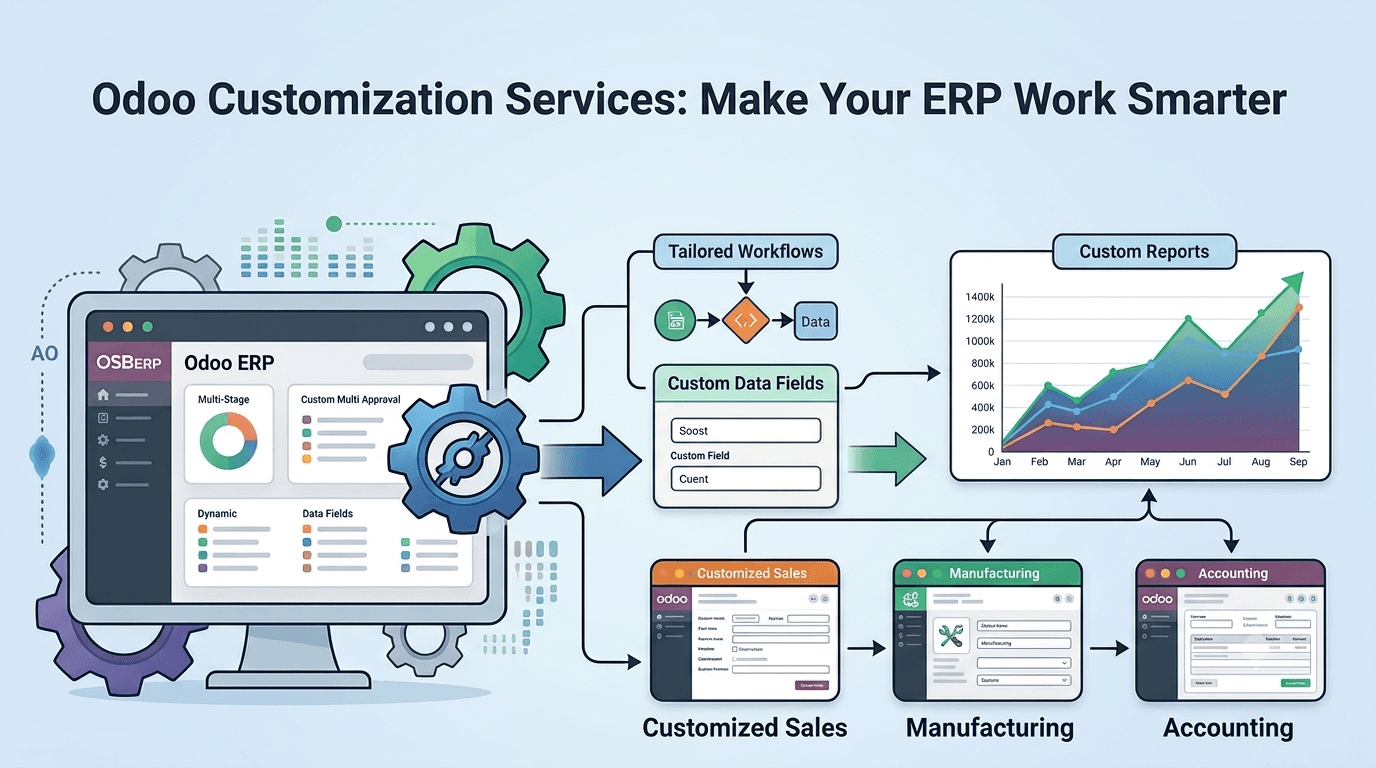
Odoo Customization Services: Make Your ERP Work Smarter
Every business works in its own way. Some companies need a special approval flow, some need custom reports, some want extra fields, and some need automation to reduce manual work. A standard ERP system may cover many common needs, but it may not always match your exact business process. This is where Odoo Customization Services become useful.
Odoo is a flexible ERP platform that can manage sales, purchases, inventory, accounting, CRM, manufacturing, POS, HR, website, and many other business operations. But the real power of Odoo comes when it is customized according to your workflow. With the right customization, your ERP becomes easier to use, faster to manage, and more useful for your team.
What is Odoo Customization?
Odoo customization means changing or improving the standard Odoo system to match your business needs. It can be a small change, like adding a field on a form, or a bigger change, like creating a custom approval process, dashboard, report, or module.
For example, your sales team may need a special discount approval system. Your warehouse team may need a custom stock report. Your accounts team may need a different invoice layout. Your management may need a dashboard that shows important business numbers in one place. All these needs can be handled with Odoo customization.
The goal is simple: make Odoo work the way your business works.
Why Businesses Need Odoo Customization Services
Every company has different departments, rules, and daily tasks. A ready-made system may not always fit perfectly. If your team needs to adjust its process too much just to use the software, work becomes slow and confusing.
Odoo Customization Services help solve this problem by shaping the ERP around your business. Instead of changing your complete workflow, you can improve Odoo to support your process in a better way.
Customization is useful when you want to:
Add new fields or menus
Create custom reports
Automate repeated tasks
Design a special approval flow
Improve existing Odoo features
Connect Odoo with third-party tools
Change forms, views, or dashboards
Create a custom module
Improve user roles and access rights
Make daily work easier for employees
When done correctly, customization saves time and gives better control over business operations.
Key Features of Odoo Customization Services
1. Custom Module Development
Sometimes standard Odoo apps are not enough for a specific business need. In that case, a custom module can be developed. This module can include new features, workflows, reports, menus, and screens based on your requirements.
For example, a clinic may need patient case management, a restaurant may need special order tracking, or a manufacturing company may need a unique production approval process. Custom modules help manage such needs inside Odoo.
2. Custom Reports and Dashboards
Reports are important for business decisions. Standard reports may not always show the exact data your management needs. Odoo customization allows you to create custom reports for sales, inventory, purchase, accounting, HR, POS, or any other module.
Dashboards can also be customized to show important information in a simple visual format. This helps managers check performance, track progress, and make faster decisions.
3. Workflow Customization
Every business has its own approval rules and working style. Some companies need manager approval before confirming a sale. Some need finance approval before vendor payment. Some need warehouse approval before delivery.
With workflow customization, you can build these steps inside Odoo. This reduces confusion and makes sure every task follows the correct process.
4. Form and View Customization
Your team may need extra information on forms like customer, product, invoice, sales order, purchase order, or employee record. Odoo customization can add new fields, hide unused fields, change field labels, or arrange the form layout in a better way.
This makes the screen cleaner and easier for users. Employees can see only the information they need, which helps them work faster.
5. Automation of Repeated Tasks
Manual work takes time and can create mistakes. With Odoo customization, many repeated tasks can be automated.
For example, you can send automatic emails, create activities, update order status, generate invoices, assign leads, send reminders, or approve records based on rules. Automation helps your team focus on important work instead of spending time on routine tasks.
6. Third-Party Integration
Many businesses use different tools for payment, shipping, WhatsApp, e-commerce, SMS, CRM, accounting, or marketing. Odoo can be customized and integrated with these tools to keep data connected.
This helps avoid double entry and improves communication between systems. When everything is connected, your team gets accurate data in one place.
7. Access Rights and User Role Setup
Not every user should see or edit every record. Odoo customization helps set proper user roles and access rights. You can decide who can view, create, edit, approve, or delete records.
This improves security and keeps sensitive business data protected.
Benefits of Odoo Customization Services
Better Fit for Your Business
The biggest benefit of customization is that Odoo becomes a better fit for your company. Your team does not need to struggle with unwanted steps or missing features. The system supports your actual workflow.
Saves Time and Reduces Manual Work
Custom automation, smart reports, and improved screens help employees finish tasks faster. This reduces manual work and saves time in daily operations.
Improves Accuracy
When processes are managed through a clear system, mistakes are reduced. Custom rules, validations, and approval flows help maintain correct data.
Better User Experience
A simple and clean ERP is easier for employees to use. When forms, menus, and workflows are customized properly, users can complete their work with less confusion.
Stronger Business Control
Custom reports, dashboards, and approval rules give managers better control over operations. They can track important data and make decisions with more confidence.
Supports Business Growth
As your business grows, your process may change. Odoo customization makes it easier to add new features, improve workflows, and support future needs.
Common Areas Where Odoo Can Be Customized
Odoo can be customized in many areas of business. Some common examples include sales quotation approval, customer credit limit control, custom invoice format, delivery workflow, stock movement rules, POS receipt design, CRM lead assignment, employee attendance reports, purchase approval, manufacturing process tracking, and accounting reports.
Each customization depends on the business goal. The best approach is to understand the problem first and then create a simple solution inside Odoo.
How to Choose the Right Odoo Customization Partner
Choosing the right Odoo customization partner is important. A good team will first understand your business process, discuss your needs, and suggest the best solution. They should not customize everything without proper planning.
Before starting, make sure your partner has experience in Odoo development, functional knowledge, module customization, report creation, integration, and testing. Good customization should be clean, secure, easy to use, and simple to maintain in future versions.
Conclusion
Odoo Customization Services help businesses make their ERP smarter, easier, and more useful. Instead of using a system that only covers basic needs, you can shape Odoo around your real business workflow.
From custom modules and reports to automation, dashboards, integrations, and approval flows, customization improves the way your team works every day. It saves time, reduces errors, improves control, and supports business growth.
If your current Odoo setup does not fully match your process, customization can help you get more value from your ERP. With the right planning and expert support, Odoo can become a powerful system that works exactly the way your business needs.
Appreciate the creator