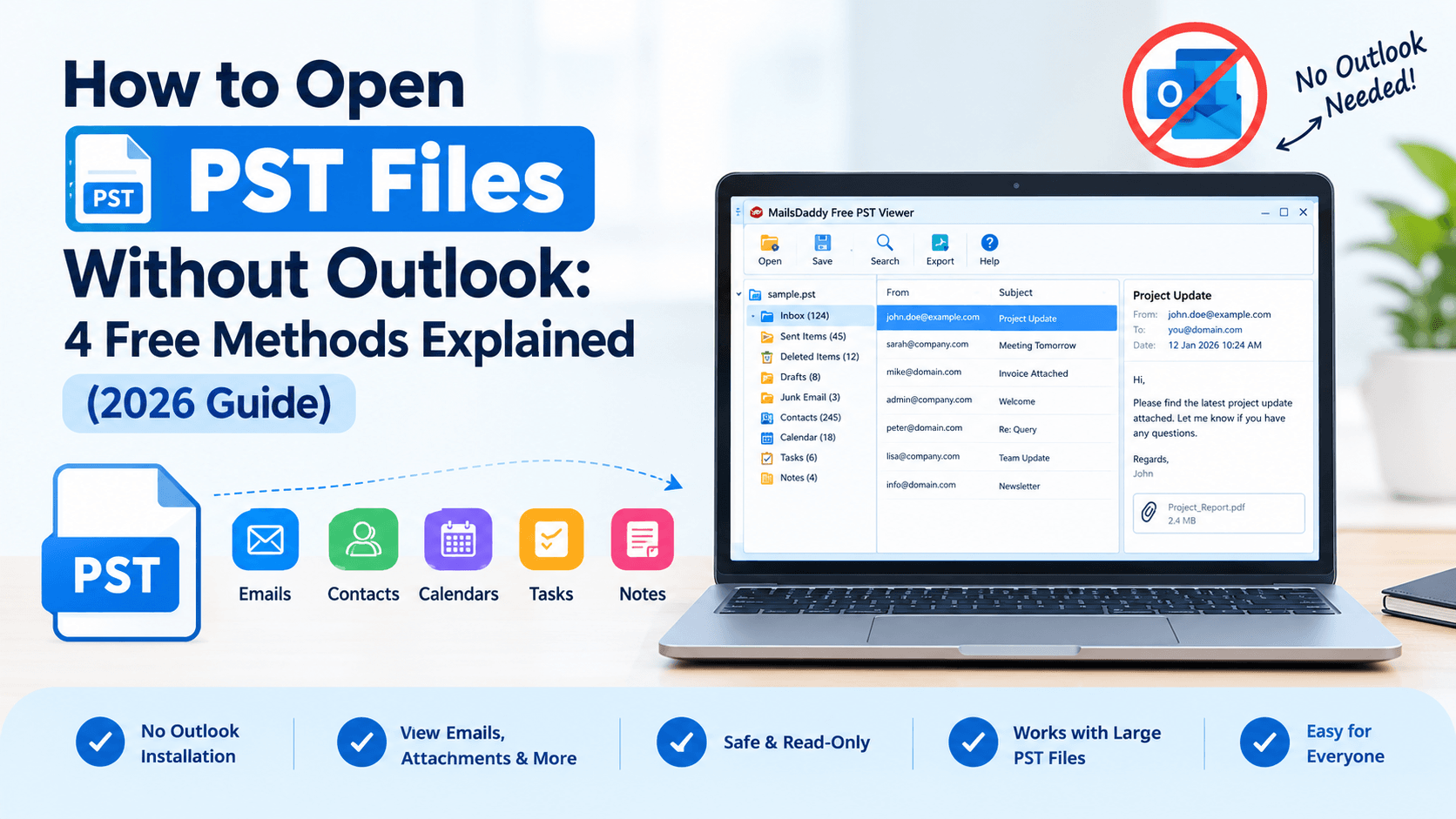
How to Open PST Files Without Microsoft Outlook? Easy & Free Methods
How to Open PST Files Without Outlook: 4 Free Methods Explained (2026 Guide)
You have received a PST file from a colleague, a former employer, or an old backup drive, and you cannot open it. Outlook is not installed on your computer, and buying a Microsoft Office subscription just to read a few emails feels excessive. This is a very common problem.
A PST file is a container that holds Outlook emails, contacts, calendars, tasks, and notes. Because it is a proprietary format, most programs cannot read it directly. The good news is that you do not need Outlook to access what is inside. In this guide, you will learn what PST files are, why people need to open them without Outlook, and the simplest ways to do it safely.
What Is a PST File?
PST stands for Personal Storage Table. Microsoft Outlook uses this file format to store a local copy of your mailbox data on your computer. A single PST file can hold years of emails, attachments, contacts, appointments, and more.
People most often work with PST files when they:
Back up or archive their mailbox
Migrate to a new computer or email service
Receive data from a former employee or client
Need emails for legal, audit, or compliance reasons
Why Open a PST File Without Outlook?
There are several practical reasons to skip Outlook altogether.
Outlook is part of a paid Microsoft package. Many users, especially those on Mac or Linux systems or on shared computers, simply do not have it.
Older PST files may not open smoothly in newer Outlook versions, and the reverse can also happen. This often leads to error messages or incomplete data.
If you only need to find one email or attachment, setting up an entire Outlook profile is a waste of time.
Importing an unknown PST file into your live Outlook profile can mix old data with your current mailbox. A separate viewer keeps everything isolated.
Methods to Open PST Files Without Outlook
Method 1: Import the PST File via Free Email Service
Email services of some webmail allow you to import PST files but generally with a catch. You will usually need to convert the file to Outlook first, or be using some third party migration tool. The fact this method is time-consuming and can be confusing for beginners about the first step of the way; it is better suited to complete migrations than quick viewing.
Method 2: Ask the Sender for a Different Format
If the PST file is from someone else, ask them to export the emails as PDF, EML or MBOX instead. It works, but it is subject to timely negotiations with the other person as well as their software situation. It is not efficient if you are dealing with large mailboxes or old archives.
Method 3: Use an Online PST Viewer
Some websites will allow you to upload a PST file and read it in your browser. This could work if the file is very small, but has risks associated with it. How will private emails be safely transferred to an untrusted server? If you have a server with no upload size limit, it's not a good choice to upload most of the real-world PST files to an online PST viewer. The safest tool for confidential data is an offline desktop tool.
Method 4: Use a Dedicated PST Viewer Tool
A dedicated PST viewer is the fastest, most reliable solution. These tools read the file directly and present it to you in a traditional folder in a way your email client would, without needing an email client.
MailsDaddy Free PST Viewer is custom-built for one purpose: to provide this Functionality.Right away load your PST File and the software displays your Emails, Contacts, Calendars and Attachments in a clean, uncluttered, easy to read format.
Visit Here: https://www.mailsdaddy.com/free-pst-viewer/ (https://www.mailsdaddy.com/free-pst-viewer/)
Steps to open a PST file with the tool:
Download and install the MailsDaddy Free PST Viewer on your Windows computer.
Launch the software and click the option to open a PST file.
Browse to the PST file on your computer and select it.
Wait a few moments while the tool scans and loads the data.
Click any folder, such as Inbox or Sent Items, to preview emails, attachments, and other items.
Why Choose This Tool?
Open and read PST files on any system without installing Outlook.
View your mailbox data without paying for extra software.
The layout is clean enough for non-technical users to navigate easily.
View emails, attachments, contacts, calendars, tasks, and notes.
Your original PST file stays untouched, so there is no risk of changing or losing data.
Useful for big mailbox archives that are slow to load elsewhere.
Tips for Safely Opening PST Files
Whichever method you choose, keep these points in mind:
Always copy the PST file before working with it.
Do not upload sensitive mailboxes to online tools you do not trust.
Very large PST files need software that can handle them without freezing.
A viewer that does not modify your file protects your original data.
Attachments inside old or unknown PST files can be risky, so keep your antivirus active.
Common Problems When Opening PST Files
Sometimes a PST file refuses to open even with the right tool. Common causes include:
The file is oversized or has reached its size limit
The file was damaged during transfer or due to a sudden shutdown
The file is password protected
The download or copy was incomplete
If the file appears corrupted, a specialized PST repair utility may be needed before it can be viewed.
Conclusion
Not having Microsoft Outlook should never stop you from accessing your own emails. Whether you are recovering old archives, checking a colleague’s mailbox backup, or simply looking for one important attachment, a dedicated PST viewer is the quickest and safest solution.
Instead of dealing with expensive software, complicated imports, or risky online uploads, you can use the MailsDaddy Free PST Viewer to open and read your PST files in minutes. It keeps your data safe, works without Outlook, and is easy enough for anyone to use.
FAQ
Q1: Is it safe to open a PST file with a free viewer?
Ans: Yes, as long as you use a trusted, read-only tool that does not alter the original file.
Q2: Can I open a large PST file without Outlook?
Ans: Yes, provided the viewer supports large files. Always check this before choosing a tool.
Q3: Can you open a PST file without Outlook?
Ans: Yes, you can use MailsDaddy Free PST Viewer to open and read PST files without installing Outlook. It supports ANSI and Unicode PST files and lets you view emails, attachments, and other mailbox items.
Q4: How can I view PST files without Outlook?
Ans: Use MailsDaddy Free PST Viewer to load and browse PST files on Windows without configuring an Outlook profile. It helps you access stored emails, attachments, contacts, and calendars.
Q5: Can I open PST files in Gmail?
Ans: Gmail cannot directly open PST files. You can use MailsDaddy Free PST Viewer to inspect the data first, or use a suitable migration solution to transfer emails into Gmail.
Q6: Can you open a PST file without Outlook?
Ans: Yes, a standalone PST viewer such as MailsDaddy Free PST Viewer lets you access PST files without Outlook. You can browse stored emails and attachments while preserving the folder hierarchy.
Q7: Can I open a .PST file without Outlook?
Ans: Yes, MailsDaddy Free PST Viewer allows you to read .PST files without installing Microsoft Outlook. It supports ANSI and Unicode formats and provides read-only viewing.
Q8: What is the best free PST viewer tool?
Ans: MailsDaddy Free PST Viewer is an option for opening Outlook PST files without Outlook installation. It supports viewing emails, attachments, contacts, calendars, and other mailbox items.
Appreciate the creator