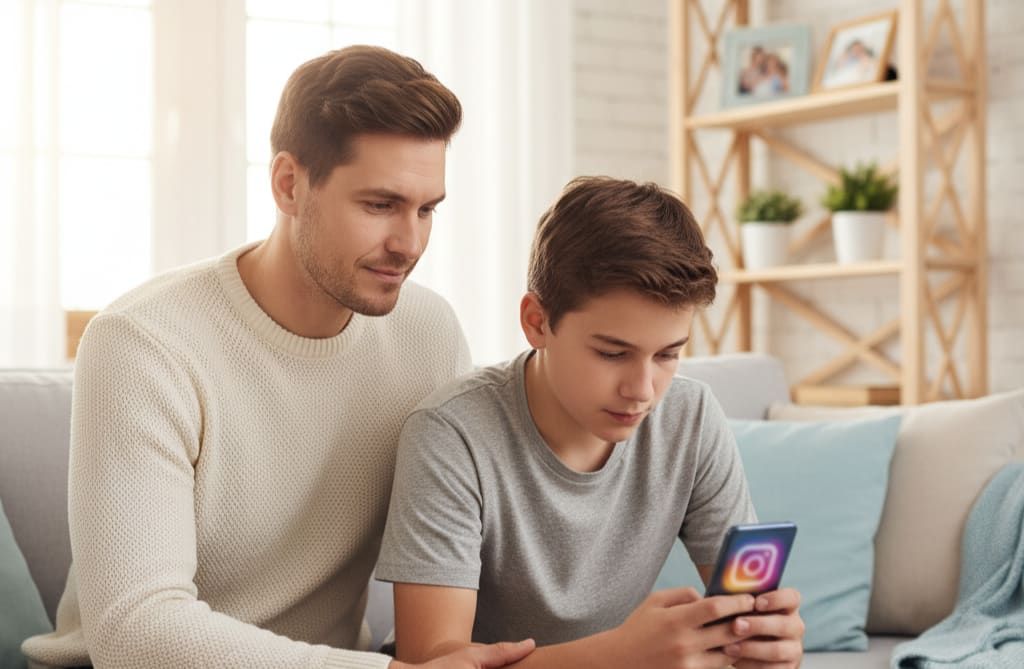
How to Monitor Instagram Activity on Your Child’s Phone
Instagram has become a popular place for children and teenagers to connect with friends, share photos and videos, follow creators, and explore new interests. While the platform can be entertaining and useful, it can also expose young users to inappropriate content, cyberbullying, strangers, scams, and excessive screen time.
For parents, monitoring Instagram activity is less about secretly reading every conversation and more about understanding how a child uses the platform and identifying potential safety concerns early. With the right combination of Instagram’s built-in safety features, open communication, and appropriate parental control tools, parents can create a safer social media experience for their children.
Why Parents Should Monitor Instagram Activity
Children may not always recognize when an online interaction becomes unsafe. A stranger may appear friendly, a seemingly harmless message may contain inappropriate content, or a social media challenge may encourage risky behavior.
Instagram activity can change quickly. A child who previously used the platform only to communicate with friends may eventually start following public accounts, interacting with unknown users, or receiving unsolicited messages.
Instagram monitoring (https://www.theonespy.com/instagram-tracker/) can help parents understand these changes and address problems before they become serious. It can also help parents notice excessive Instagram use that interferes with sleep, schoolwork, family time, or other activities.
However, monitoring should be age-appropriate and respectful. Parents should explain what they are checking and why, particularly with older children and teenagers. Establishing clear family rules is generally more effective than making a child feel that they are being watched without explanation.
What Instagram Activity Can Parents Pay Attention To?
There are several areas of Instagram use that parents can discuss or monitor, depending on the child's age and the family's rules.
One important area is direct messaging. Instagram's messaging feature allows users to communicate privately, which means children may receive messages from people their parents do not know. Parents can teach children never to share private information, photographs, passwords, school details, or their location with strangers online.
Followers and following lists are another useful area to review. Knowing who a child interacts with can provide context about their social media environment. A sudden increase in unknown followers or interactions with unfamiliar accounts may deserve a conversation.
Parents can pay attention to the content their child encounters (https://www.theonespy.com/blog/instagram-dangers-for-teens/). Reels, Explore recommendations, Stories, and public accounts can expose young users to material that may not be appropriate for their age.
Comments and interactions are equally important. Hurtful comments, repeated teasing, threats, or exclusion can be signs of cyberbullying. Children should know that they can tell a trusted adult when something online makes them uncomfortable.
Use Instagram's Built-In Parental Controls
Before considering third-party monitoring software, parents should explore the safety and supervision tools provided by Instagram.
Instagram offers parental supervision features designed to help parents and teenagers manage aspects of the teen's experience. Depending on the account, age, and available features in the region, supervision can provide parents with information about certain account and usage settings without giving parents unrestricted access to private conversations.
Privacy settings are particularly important. Parents should help children use a private account when appropriate and review who can follow, message, mention, or tag them.
Parents should also discuss blocking and reporting. If someone sends inappropriate messages, behaves aggressively, or repeatedly attempts to contact a child, the child should know how to block the account and report the behavior.
Talk to Your Child Before Monitoring
Technology alone cannot replace communication. Before monitoring Instagram, explain to your child why you want to be involved. Instead of saying, "I don't trust you," parents can explain that social media presents risks that even responsible users may encounter.
A simple conversation might sound like this: "I want you to enjoy Instagram, but I also want to make sure you're safe. Let's agree on some rules and talk about what you should do if someone makes you uncomfortable."
This approach can make children more comfortable discussing online problems. If they believe they will automatically lose their phone whenever they report something concerning, they may be less likely to ask for help.
Parents should also establish expectations around privacy. Younger children may need closer supervision, while teenagers may reasonably expect greater privacy as they demonstrate responsible online behavior.
Monitor Screen Time and Instagram Usage
The amount of time a child spends on Instagram can be just as important as what they do there.
Spending long periods scrolling through Reels or other content can make it difficult for children to manage homework, sleep, exercise, and family responsibilities. Parents can use device-level screen-time controls and Instagram's available usage-management features to understand how much time is being spent on the app.
Rather than focusing only on a specific number of minutes, parents should look at whether Instagram is affecting everyday life. If a child regularly stays awake late because of social media or becomes unable to put the phone down during family activities, it may be time to establish stronger boundaries.
A consistent schedule can help. For example, families may decide that phones are put away during homework, meals, and bedtime.
Consider a Parental Control App
For parents who need broader visibility across a child's device, a reputable parental control solution may provide additional tools beyond Instagram's built-in options.
Depending on the product and operating system, parental control software may provide information about app usage, screen time, browsing activity, location, and other device activity. Some solutions also allow parents to set restrictions, block inappropriate websites, manage applications, or establish usage schedules.
TheOneSpy, for example, is a parental monitoring solution that can provide parents with visibility into different areas of a supported device from a centralized dashboard. Its feature set includes social media activity monitoring, app usage insights, location tracking, browsing activity, screen-related monitoring, and other parental control functions.
Parents should always check the current compatibility, features, privacy practices, and applicable laws before using any monitoring solution. Monitoring should also be conducted only on devices and accounts where the parent has the appropriate authority to do so.
Watch for Signs of Cyberbullying
Instagram can sometimes become a channel for cyberbullying. A child may receive insulting comments, threatening messages, embarrassing posts, or repeated unwanted contact.
Changes in behavior can sometimes indicate that something is wrong. A child who suddenly avoids their phone, becomes unusually upset after using Instagram, stops interacting with friends, or becomes anxious about social media may need support.
Parents should avoid immediately blaming the child or demanding to know why they responded to a particular message. A calm conversation can make it easier for the child to explain what happened.
If cyberbullying is occurring, save relevant evidence where appropriate, block the offending account, use Instagram's reporting tools, and involve the school or other responsible adults when necessary.
Teach Children About Stranger Interactions
One of the most important Instagram safety lessons is that online familiarity does not necessarily mean real-world trust.
Someone may use a convincing profile photo and appear to share the child's interests while still being a complete stranger. Children should understand that people online can misrepresent their age, identity, or intentions.
Teach children not to arrange private meetings with online contacts without a parent's knowledge. They should also avoid sharing their home address, school location, daily schedule, passwords, financial information, or precise location.
If someone pressures them to keep a conversation secret, asks for private photographs, or makes them uncomfortable, they should immediately tell a trusted adult.
Check Privacy and Security Settings Regularly
Instagram settings should not be treated as something parents configure once and forget.
Review the child's account periodically and discuss changes to privacy and security settings. A private account can provide greater control over who follows the child, while additional restrictions can reduce unwanted interactions.
It is also important to use a strong, unique password and enable available security protections such as two-factor authentication. Children should understand that passwords should never be shared with friends or strangers.
Parents should also review connected applications and account permissions when appropriate. Unnecessary third-party access should be removed to reduce privacy risks.
Be Careful With Secret Monitoring
Some parents consider completely hidden monitoring because they are worried that their child might conceal risky behavior. While serious safety concerns can justify closer supervision, secret monitoring can damage trust if a child discovers it unexpectedly.
A better long-term strategy is to create a family technology agreement that explains what parents may monitor, when they may intervene, and what behaviors are considered unsafe.
For younger children, more direct supervision may be appropriate. As children become older and demonstrate responsible behavior, parents can gradually give them more independence while continuing to discuss online safety.
The goal should be to help children develop the ability to recognize and manage online risks themselves.
Create an Instagram Safety Plan
Every child should know what to do when something goes wrong online.
A simple family plan can include steps such as:
Stop communicating with anyone who makes them uncomfortable.
Do not respond to threats or pressure.
Block and report inappropriate accounts.
Save relevant evidence when necessary.
Tell a parent or trusted adult.
Change account security settings if an account may have been compromised.
Having these steps established in advance means a child does not have to figure everything out during a stressful situation.
Monitor Without Becoming Overly Invasive
Effective parental monitoring is about finding the right balance between safety and independence.
Parents should focus on patterns and warning signs rather than attempting to control every interaction. Constantly questioning a teenager about every message or follower can make social media feel like an area of conflict.
Instead, use monitoring as an opportunity for regular conversations. Ask what kinds of accounts they enjoy following, what trends they see, and whether they have encountered anything strange or uncomfortable.
When children know that parents are interested in their digital lives without automatically judging them, they may be more willing to seek help.
Final Thoughts
Monitoring Instagram activity can help parents identify potential risks, understand their child's digital habits, and encourage healthier social media behavior. The most effective approach combines Instagram's built-in privacy and supervision features with device-level parental controls, reasonable boundaries, and ongoing communication.
Parents should remember that no monitoring tool can guarantee complete online safety. Children still need to learn how to recognize manipulation, protect their personal information, deal with cyberbullying, and make responsible decisions online.
The ultimate goal is not simply to monitor Instagram. It is to help children develop safer digital habits while giving parents enough visibility to step in when genuine concerns arise.
Appreciate the creator