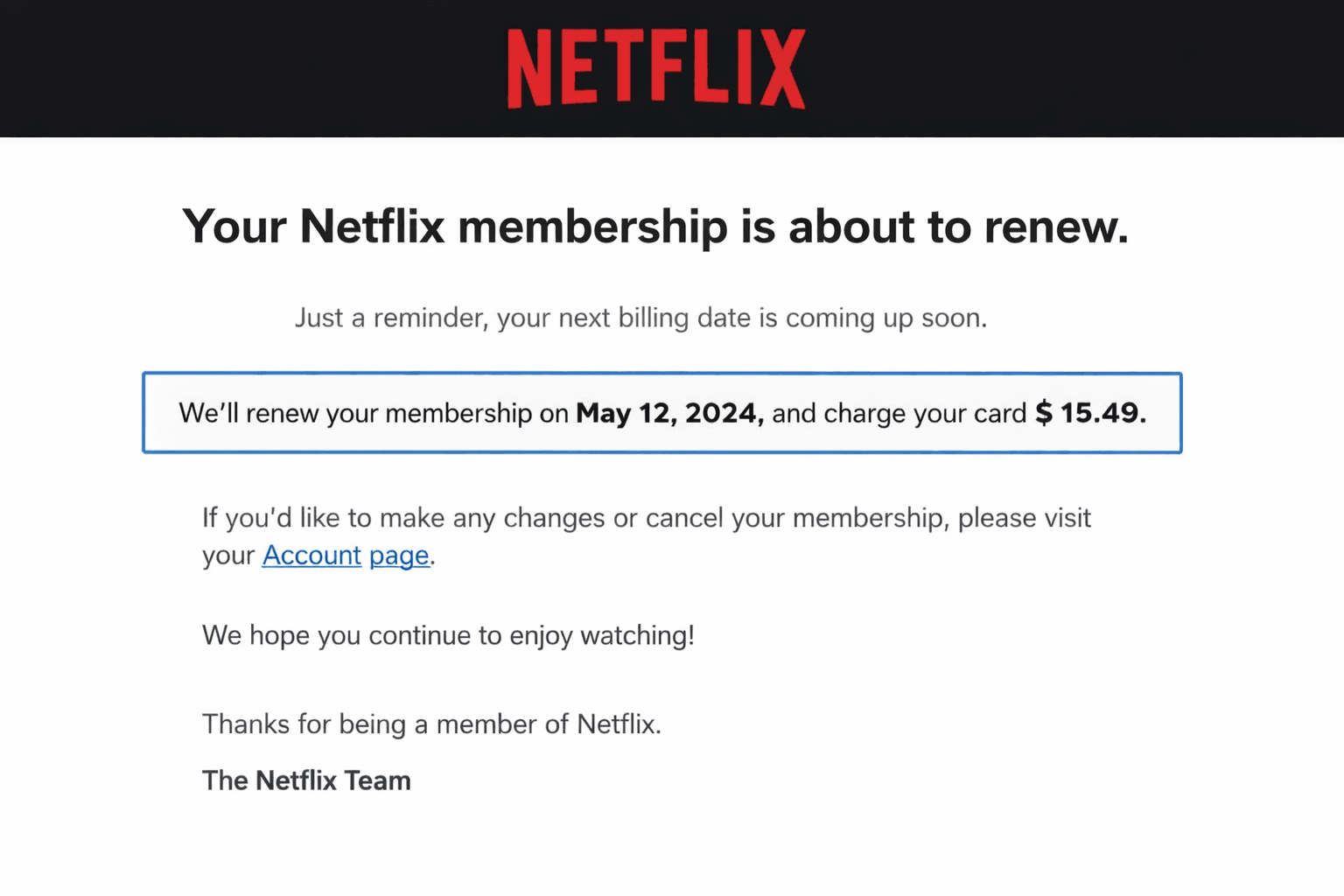
Does Netflix notify you before auto-renewal charges?
You woke up to a Netflix charge on your bank statement that you were not expecting. Or maybe you are asking this question before it happens — wanting to know whether Netflix will give you a heads-up before billing you, so you can decide whether to cancel in time.
The answer to this question is one of the most practically important things a Netflix subscriber can know. And the honest answer is not what most people hope to hear.
The Direct Answer — What Netflix Actually Does
Netflix does not send advance notification before auto-renewal charges in most markets. The charge processes silently on your billing date without any email, push notification, or in-app warning telling you a payment is about to be taken. The first notification most subscribers receive is a billing confirmation email — sent after the charge has already processed.
What Most Subscribers Expect vs. What Actually Happens
Most subscribers assume that a subscription service will send some kind of heads-up before charging them — a reminder email a few days before the billing date, a push notification on the day of the charge, or at minimum an in-app banner. This expectation is reasonable. It is also wrong for Netflix in most markets.
What actually happens is that your billing date arrives, Netflix submits the charge to your saved payment method, the charge processes, and you receive a payment confirmation email confirming the transaction that has already occurred. There is no advance warning. There is no cancellation window prompted by Netflix. The charge is done before you know it is coming.
Why This Gap Costs Subscribers Money
The gap between what subscribers expect — advance notification — and what Netflix provides — post-charge confirmation — is where unintended renewal charges live. A subscriber who expected a reminder before billing and planned to cancel based on that reminder never receives the prompt. The billing date passes. The charge processes. The subscriber discovers it on their statement days or weeks later — after the cancellation window that would have prevented the charge has closed.
How Netflix's Auto-Renewal Billing Works
The Silent Billing Cycle Explained
Netflix's billing system operates on a fixed monthly cycle from your original subscription date. If you subscribed on the 15th of any month your billing date is the 15th of every subsequent month. On that date Netflix automatically submits a charge request to your saved payment method — credit card, debit card, or whichever payment option you provided at sign-up.
This process is entirely automated and requires no action from Netflix staff or from you. It runs in the background of your account management regardless of whether you have used the service during the billing period, regardless of whether you have logged in recently, and regardless of whether you have any content actively downloaded or watched. Access to the service is the product being renewed — not any specific usage of it.
What the Charge Looks Like on Your Statement
Netflix charges appear on bank and credit card statements with the descriptor Netflix or Netflix.com depending on your financial institution's formatting. The charge amount reflects your current plan's monthly price. If you are in a region where Netflix applies taxes or fees to subscription charges these appear as part of the total charge rather than as separate line items. The charge date on your statement is your billing date — the date Netflix submitted the payment, which is typically the same day it appears or one business day before depending on your bank's processing timeline.
Does Netflix Send Any Email Before Charging You?
What Emails Netflix Actually Sends
Netflix sends several types of account-related emails — but advance renewal notification is not among them for most subscribers in most markets. Netflix does send emails when your payment fails and the subscription cannot be renewed — these are post-failure notifications prompting you to update your payment method. Netflix sends emails confirming successful payments — these arrive after the charge has processed. Netflix sends promotional emails about new content releases. And Netflix sends account security notifications for login activity from new devices.
What Netflix does not routinely send in most markets is a pre-renewal email saying your subscription renews in three days and here is a link to manage your account if you want to cancel or change your plan.
The Difference Between Billing Confirmation and Advance Notice
The emails Netflix sends after a charge processes are billing confirmations — records of transactions that have already occurred. These are useful for accounting and tax purposes. They are not useful for preventing unintended charges because the charge has already processed before the email arrives. The advance notice that would actually serve subscriber interests — sent before the charge processes with enough time to cancel — is what Netflix does not provide in most markets.
Free Trial Conversions — Does Netflix Warn You?
How Trial End Notifications Work or Do Not Work
Free trial behavior varies by market and has changed over time as Netflix has adjusted its trial policies across different regions. In some markets Netflix sends an email near the end of a free trial reminding subscribers that the trial is ending and that they will be charged unless they cancel. In other markets and during certain periods this notification has not been sent — subscribers discovered the trial had ended when the first charge appeared on their statement.
The inconsistency in trial notification practices is itself a source of subscriber confusion — subscribers in markets where Netflix does send trial end notices may recommend cancellation reminders to subscribers in markets where Netflix does not.
Why Trial Conversions Catch So Many Subscribers Off Guard
Even when Netflix sends a trial end notification email the notification often arrives with insufficient lead time to act. An email sent on the last day of a trial — or on the trial end date itself — does not give a subscriber who misses it in a busy inbox any practical opportunity to cancel before conversion. Trial end notifications that arrive three to five days before conversion would serve subscriber interests. Notifications arriving on the conversion date serve the same function as post-charge confirmation — informing subscribers of something already effectively decided.
Why Netflix Does Not Send Advance Renewal Notices
The Business Logic Behind Silent Renewal
The absence of advance renewal notification is not an oversight — it is a deliberate business decision backed by user research and conversion data. Netflix knows exactly what percentage of subscribers who receive an advance renewal reminder cancel versus continue. That data drives the decision not to send the reminder.
An advance renewal email is effectively a monthly cancellation prompt. It draws subscriber attention to an upcoming charge and creates a decision point. Subscribers who were passively continuing their subscription out of inertia are reminded to make an active decision about whether the service is worth renewing. A meaningful percentage of those subscribers will cancel. From Netflix's perspective that cancellation rate makes advance renewal notifications a financially costly practice that reduces subscriber retention.
What Would Change If Netflix Sent Advance Notices
If Netflix sent advance renewal notices three to five days before every billing date — as a genuinely subscriber-friendly practice — several things would change. Unintended renewal charges would become substantially rarer because subscribers would have a prompted opportunity to cancel before charging. Netflix would see a meaningful increase in voluntary cancellation rates as subscribers who were passively continuing would make active decisions. And the regulatory pressure Netflix faces from consumer protection bodies regarding silent auto-renewal would decrease significantly. The reason Netflix does not make this change voluntarily is that the revenue cost of higher cancellation rates exceeds the reputation benefit of reduced subscriber complaints about unintended charges.
Do Other Streaming Platforms Notify Before Renewal?
How Netflix Compares to Competitors on Renewal Notification
Netflix's silent renewal approach is common across the streaming industry rather than uniquely aggressive. Most major OTT platforms — Disney Plus, Max, Apple TV Plus, Amazon Prime Video — follow the same pattern of post-charge billing confirmation without advance renewal notification in most markets. The industry standard, such as it is, does not favor subscriber interests on this point.
Which Platforms Come Closest to Fair Notification Standards
Apple is notable for sending renewal reminder notifications through iOS for subscriptions managed through the App Store — subscribers who manage streaming subscriptions through Apple receive more consistent advance notification than those who subscribe directly through platform websites. Google Play similarly provides subscription management visibility through its subscriptions dashboard. The notification practices of the app store platforms tend to be more subscriber-friendly than those of the direct-billing streaming platforms — a meaningful reason to consider managing streaming subscriptions through Apple or Google rather than directly when convenient.
What Notification Does Netflix Send After Charging You?
The Post-Charge Email — What It Contains
After a successful renewal charge Netflix sends a billing confirmation email to the address registered to your account. This email contains the charge amount, the plan it covers, the billing date, the last four digits of the payment method charged, and the next billing date. It also contains a link to your account management page and information about how to cancel if you choose to.
This post-charge email is the primary notification mechanism Netflix uses for renewal billing. It arrives after the transaction is complete.
What to Do If You Did Not Receive a Billing Email
If you have been charged by Netflix but did not receive a billing confirmation email check your spam or junk folder — Netflix emails occasionally trigger spam filters particularly if your email security settings are conservative. Verify that the email address on your Netflix account is current — go to Account settings and check the email address shown. If the email address is correct and the billing email is not in any folder contact Netflix support to confirm the charge and request that the billing confirmation be resent to your current email address.
Regulatory Requirements Around Renewal Notification
Markets Where Netflix Must Provide Advance Notice
Some markets have consumer protection regulations that require subscription services to provide advance notice before auto-renewal charges. In the European Union consumer protection regulations and in several individual member states specific legislation requires meaningful disclosure of renewal terms and in some cases advance renewal notification. California's Automatic Renewal Law requires businesses to provide clear disclosure of auto-renewal terms and in certain circumstances advance notice before renewal. Several other US states have enacted similar legislation with varying specific requirements.
In markets with these requirements Netflix's renewal notification practices must meet the regulatory standard — which means subscribers in these markets may receive advance renewal notices that subscribers in less regulated markets do not.
How Regulation Is Changing Renewal Notification Standards
The regulatory direction globally is toward requiring advance renewal notification as a standard subscriber right rather than a voluntary platform choice. The FTC's Click to Cancel proposal in the United States explicitly addresses advance renewal notice requirements. EU consumer protection enforcement has targeted renewal notification practices across digital subscription services. As these regulatory requirements become more established Netflix APK and other streaming platforms will face increasing pressure to implement advance notification practices that genuinely serve subscriber interests rather than platform retention goals.
How to Create Your Own Advanced Renewal Notification System
Since Netflix does not reliably provide advance renewal notification the most effective approach is to build your own notification system.
The Billing Date Reminder Method
Find your Netflix billing date in Account settings under Membership and Billing — it is displayed as your next billing date. Open your phone's calendar app and create a recurring monthly event three to four days before this date. Title it Netflix Billing Check or similar. Set a notification alert for the morning of the event date. Save with monthly recurrence.
When the reminder fires you have three to four days before Netflix charges you — enough time to make a deliberate decision about whether to continue and to cancel if you decide not to. This self-created notification system does exactly what Netflix's advanced renewal notice would do if it existed — it creates a prompted decision point before the charge rather than a confirmation after it.
Apps and Tools That Automate Subscription Tracking
Several apps are specifically designed to track subscription billing dates and send advance renewal reminders. Truebill — now Rocket Money — tracks recurring charges on connected accounts and sends renewal reminders. Bobby is a dedicated subscription tracker app available on iOS that allows manual subscription entry with reminder notifications. Subtrack is a similar Android option. These tools add automation to the billing date awareness process — scanning connected financial accounts for recurring charges and alerting you before each renewal date without requiring manual calendar management.
What to Do When a Charge Appears Without Warning
Immediate Steps After an Unexpected Netflix Charge
When you discover a Netflix charge you were not expecting act immediately. Contact Netflix customer service through live chat at netflix.com or by phone — the contact number is available through the Help Center. Explain that you were charged for a renewal you did not intend and that you are contacting Netflix as quickly as possible after discovering the charge. Request a refund of the specific charge. Cancel the subscription if you do not intend to continue — cancelling as part of the refund request conversation demonstrates that your goal is resolution rather than ongoing service use.
How to Request a Refund for an Unnoticed Auto-Renewal
State clearly when you discovered the charge and how quickly you are contacting Netflix after discovery. Mention whether you have used the service since the charge was processed — low or zero usage strengthens the refund case. If the charge represents a free trial conversion, explain your intent to cancel before the trial ends. Refunds are not guaranteed but are granted with meaningful frequency for recent charges contacted promptly — particularly trial conversions and first renewal charges on otherwise inactive accounts.
How to Find Your Netflix Billing Date Right Now
Locating Your Billing Date on Every Device
On a phone or tablet open the Netflix app and tap your profile icon in the top right corner. Select Account from the menu. Under Membership and Billing your next billing date is displayed. On a computer go to netflix.com, click your profile icon in the top right, select Account, and find the next billing date under Membership and Billing. The billing date shown is the next date Netflix will charge your payment method.
What to Do With That Information Immediately
Once you have your billing date open your calendar app right now and create the recurring monthly reminder described above. Do not plan to do it later — later is how billing dates get missed. The reminder takes sixty seconds to create and protects you every billing cycle indefinitely from this point forward. This is the single most immediately actionable step available to you after reading this article.
Conclusion
Netflix does not send advance notification before auto-renewal charges in most markets. The charge processes silently on your billing date and the email you receive confirms a payment already taken rather than warning of one approaching. This silence is deliberate — advance renewal notification functions as a cancellation prompt and Netflix's data shows that prompting a decision increases cancellation rates.
The protection available to you is straightforward. Find your billing date in Account settings. Create a recurring calendar reminder three to four days before that date. When the reminder fires, make a deliberate decision about whether to continue before the charge processes. This sixty-second setup eliminates the mechanism that silent auto-renewal depends on — your inattention — and converts a passive monthly default into an active monthly choice.
If a charge has already appeared without warning contact Netflix customer service immediately — refunds for recent unintended charges are possible particularly for trial conversions and first renewal charges on inactive accounts.
FAQs
1. Will Netflix ever add advanced renewal notifications voluntarily? Voluntary adoption of advance renewal notifications is unlikely without regulatory pressure because advance notice functions as a cancellation prompt that increases voluntary cancellation rates. Netflix is more likely to implement advanced notification where specifically required by local regulation — as it has in some markets with consumer protection requirements — than to adopt it globally as a voluntary practice. Regulatory trends suggest that advance notification requirements will expand to more markets over time.
2. How do I make sure I receive Netflix billing emails in my inbox rather than spam? Add the domain netflix.com to your email contacts or safe sender's list — this tells your email provider that Netflix emails are legitimate and should be delivered to your inbox. Search your current spam or junk folder for any existing Netflix emails and mark them as not spam. Verify that the email address on your Netflix account is current and accessible — go to Account settings to confirm. Billing confirmation emails from Netflix are sent from email addresses at the netflix.com domain.
3. Does Netflix notify you before renewal if you are on a promotional price? No — Netflix does not send advance notification before promotional pricing ends and standard rates begin in most markets. The transition from promotional to standard pricing processes silently on the billing date following the promotional period end. This is one of the most costly silent transitions for subscribers — the charge increases without any specific notification. Your billing date reminder should note when promotional pricing is scheduled to end so you can make a deliberate decision before the higher rate applies.
4. Can I set up Netflix to send me renewal reminders directly? Netflix does not currently offer a subscriber-configurable advance renewal notification setting in its account management interface. You cannot opt in to receiving advance renewal reminders through Netflix's own system in most markets. The only reliable way to receive advance renewal notification is through a self-created calendar reminder or a third-party subscription tracking app — both described in this article.
5. What should I do if my Netflix billing date changes unexpectedly? Billing dates occasionally shift after plan changes or payment method updates. After any account modification check your billing date in Account settings to confirm it has not changed and update your calendar reminder accordingly. A quarterly review of your billing date — taking thirty seconds each time — catches any changes before they result in a missed cancellation window. If your billing date changes without any account action on your part contact Netflix support to investigate — unexpected billing date changes may indicate an account issue worth resolving.
Appreciate the creator