Common Outlook Login Issues in Microsoft 365 and Their Solutions
Microsoft 365 Outlook is one of the most important applications in Microsoft 365, widely used by businesses for email communication, calendar management, contact storage, meeting scheduling, and daily collaboration. Microsoft Outlook helps organizations manage professional communication efficiently while providing secure cloud-based email services through Exchange Online.
Microsoft 365 Outlook stores mailbox data based on the assigned license plan. In most enterprise licenses, a user mailbox can store up to 100 GB of data. When mailbox storage exceeds the default limit, organizations can use advanced archive solutions such as In-Place Archive or Online Archive. These features help businesses store older emails separately without affecting mailbox performance. In enterprise environments, archive mailbox limits can also be extended using PowerShell and Microsoft retention policies, helping companies manage large volumes of email data securely.
One of the major advantages of Outlook is its user-friendly interface and advanced productivity features. Users can create professional email signatures, manage shared mailboxes, schedule meetings, use calendar sharing, create mailbox rules, format emails using tables, and organize business communication efficiently. Microsoft Outlook also integrates with other Microsoft 365 services such as Microsoft Teams, SharePoint Online, and OneDrive, improving collaboration across organizations.
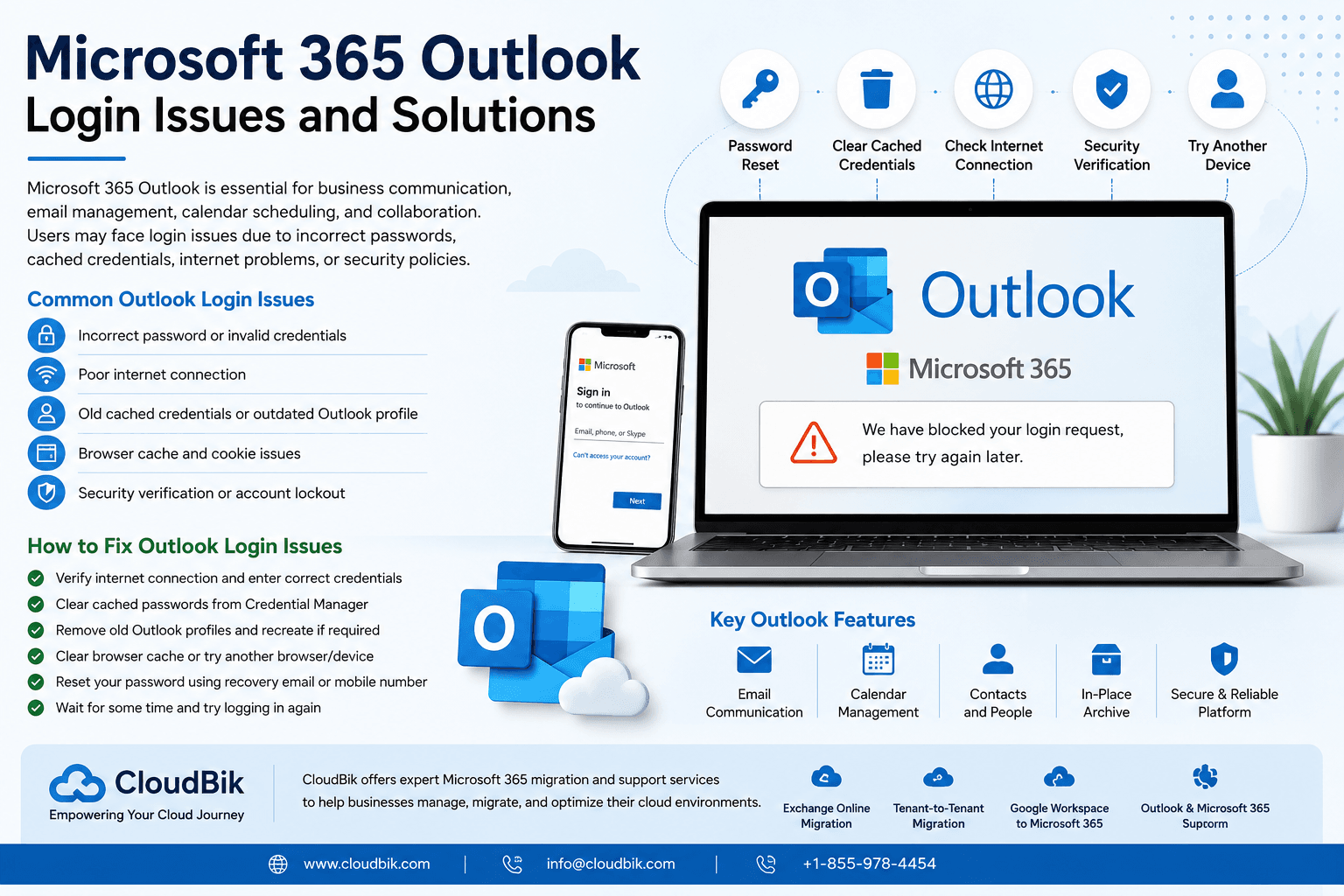
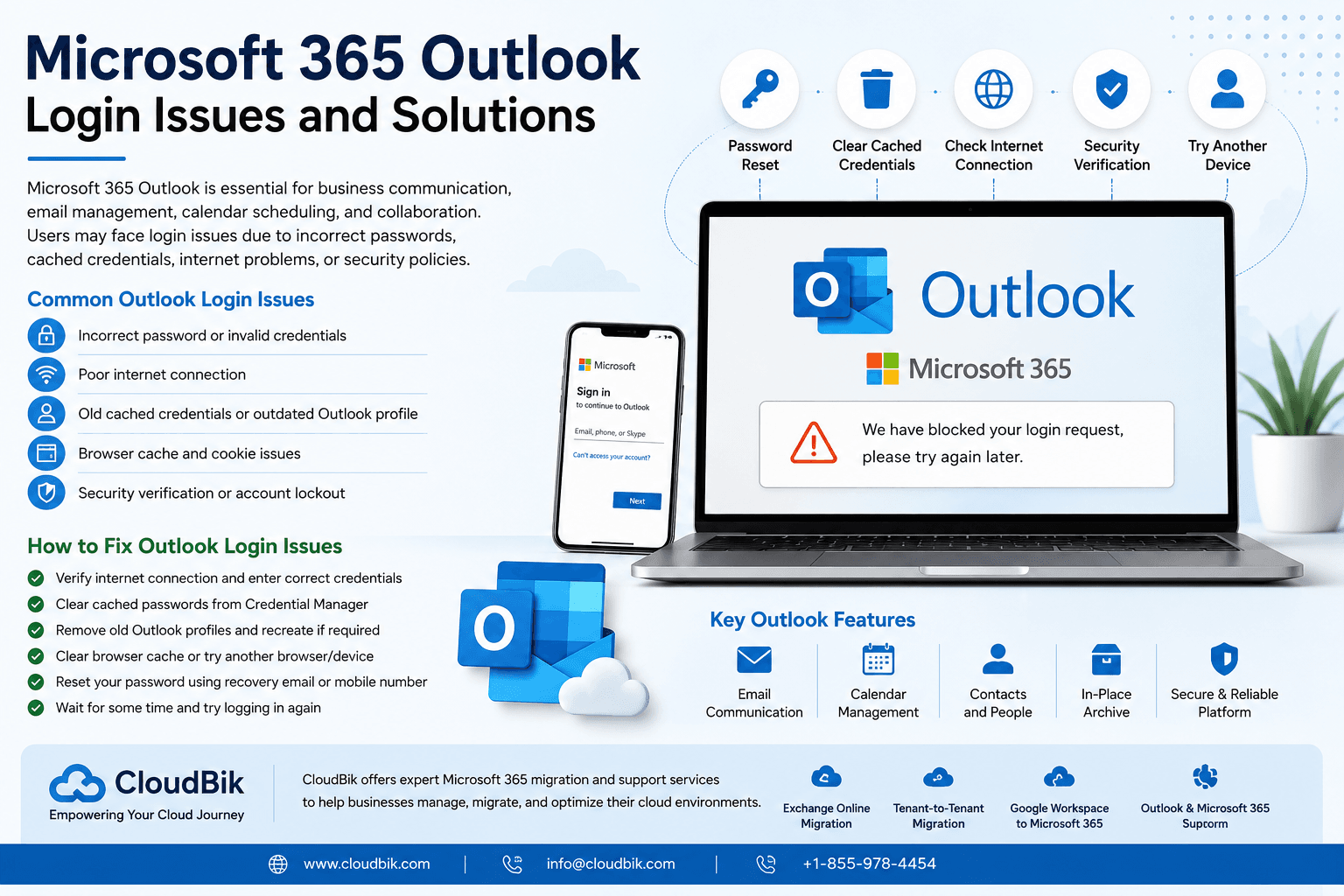
Despite its advanced features, many users experience Outlook login issues while accessing their Microsoft 365 accounts. One of the most common problems occurs when users forget their Outlook password or are unable to sign in to their mailbox. There can be several reasons behind Outlook login problems, including incorrect passwords, unstable internet connectivity, browser cache issues, expired credentials, old cached passwords stored on the device, or Microsoft security verification failures.
In some cases, laptops or desktop systems continue using old cached credentials stored in Windows Credential Manager. As a result, even after entering the correct password, Outlook may still fail to authenticate properly. Browser cache and outdated Outlook profiles can also create sign-in problems for Microsoft 365 users. Additionally, organizations using Multi-Factor Authentication (MFA) may experience login verification issues if users do not complete the required authentication steps correctly.
Another common issue happens when users repeatedly attempt to log in using incorrect credentials. Microsoft 365 security policies automatically detect suspicious login attempts and temporarily block the account to protect user data. During this situation, users may receive an error message such as “We have blocked your login request, please try again later.” This security feature is designed to prevent unauthorized access and improve account protection within Microsoft 365 environments.
To resolve Outlook login problems, users should first verify their internet connection and ensure they are entering the correct Microsoft 365 email address and password. If the issue continues, users should clear cached credentials from Windows Credential Manager and remove outdated Outlook profiles from their device. Clearing browser cache and cookies can also help resolve authentication-related problems in Outlook Web Access (OWA).
Users facing Outlook sign-in issues should also try accessing their mailbox from another browser, device, or network connection to identify whether the problem is device-related or account-related. Updating the Outlook application to the latest version is another recommended step because outdated applications may fail to connect properly with Microsoft 365 services.
If users forget their Outlook password, Microsoft 365 provides self-service password reset options using registered recovery email addresses or mobile numbers. Users can securely reset their password through Microsoft account recovery methods and regain access to their mailbox without administrator assistance. After resetting the password, users should wait for a few minutes before attempting another login to allow Microsoft services to synchronize updated credentials.
Organizations using Microsoft 365 should also implement security best practices such as Multi-Factor Authentication (MFA), password management policies, conditional access policies, and regular account monitoring. These security measures help reduce Outlook login issues while protecting user accounts from unauthorized access attempts and cyber threats.
With advanced mailbox storage, cloud archive solutions, enterprise security features, and powerful collaboration tools, Microsoft Outlook continues to be one of the most reliable email and communication platforms for modern businesses worldwide.
Conclusion
Microsoft 365 Outlook is a powerful and reliable platform for business communication, email management, collaboration, and cloud productivity. With advanced features such as large mailbox storage, In-Place Archive, calendar scheduling, shared mailboxes, and integration with Microsoft Teams, SharePoint Online, and OneDrive, Outlook helps organizations improve operational efficiency and secure communication.
However, users may sometimes face Outlook login issues due to incorrect passwords, cached credentials, internet connectivity problems, outdated Outlook profiles, or Microsoft security restrictions. These issues can usually be resolved by clearing cached credentials, updating Outlook settings, resetting passwords, and verifying account security configurations. Implementing security best practices such as Multi-Factor Authentication (MFA), password policies, and regular mailbox maintenance can also help organizations reduce login-related problems and improve Microsoft 365 security.
For businesses planning Microsoft 365 migrations, mailbox management, archive configuration, or troubleshooting Outlook and Exchange Online issues, CloudBik provides secure and reliable Microsoft 365 migration and cloud support services. CloudBik specializes in Exchange Online migrations, Microsoft 365 Tenant-to-Tenant migrations, Outlook troubleshooting, Google Workspace to Microsoft 365 migrations, OneDrive migrations, SharePoint Online migrations, and Microsoft Teams migration solutions for businesses worldwide.
Appreciate the creator