Best Video Editing Apps for Android
Video editing has become more accessible and convenient with the rise of smartphones. Android devices, in particular, offer a plethora of video editing apps that allow users to edit and enhance their videos on the go. In this article, we'll take a look at the best video editing apps for Android.
Table of Contents:
Alight Motion
FilmoraGo
KineMaster
PowerDirector
Adobe Premiere Rush
Quik
Alight Motion
Alight Motion is a powerful video editing app that provides users with a comprehensive set of features and tools for creating professional-grade videos on Android devices. It offers the ability to create animations, motion graphics, and visual effects using keyframes, masks, and blending modes. Additionally, the app features color correction tools, audio editing capabilities, and a variety of pre-made templates and presets to speed up your workflow. Alight Motion has a free version with limited features, as well as a subscription-based premium version that unlocks additional tools and removes watermarks. With the help of BlueStack you can also use alight motion on PC.
FilmoraGo
FilmoraGo is another popular video editing app for Android that offers an intuitive user interface and a range of powerful editing tools. It allows users to trim, cut, and merge videos, add music and text, and apply a variety of filters and effects. The app also features a collection of pre-made templates and themes to help you create polished videos quickly and easily. FilmoraGo is free to download, but offers in-app purchases to unlock additional features and remove watermarks.
KineMaster
KineMaster is a feature-rich video editing app that offers a range of advanced tools for creating professional-grade videos on your Android device. It features multiple video layers, blending modes, chroma keying, and real-time audio and video recording capabilities. The app also offers a range of visual effects, transitions, and animations, as well as a variety of pre-made templates and presets. KineMaster is available as a free download, but offers a subscription-based premium version that unlocks additional features and removes watermarks.
PowerDirector
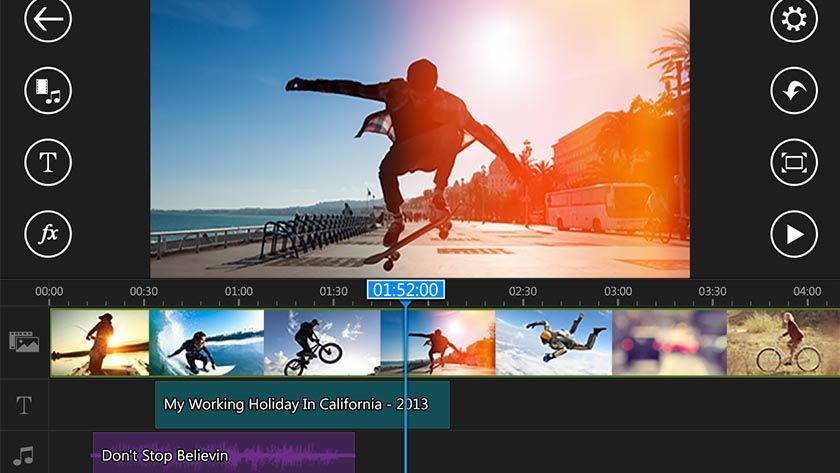
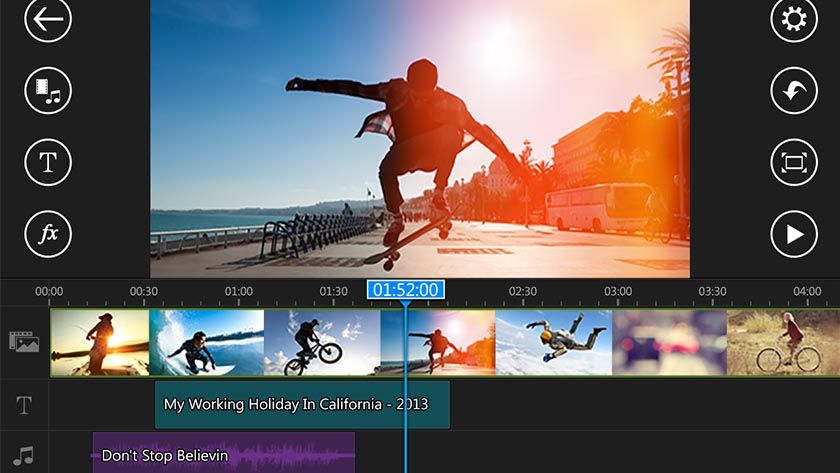
PowerDirector is a popular video editing app for Android that offers a range of features and tools for creating professional-looking videos. It features an easy-to-use interface and offers a variety of effects, transitions, and filters to enhance your videos. The app also supports 4K video editing, and offers multi-track timeline editing and chroma keying. PowerDirector is free to download, but offers in-app purchases to unlock additional features and remove watermarks.
Adobe Premiere Rush
Adobe Premiere Rush is a video editing app that allows users to create high-quality videos on their Android devices. It offers a range of features, including multi-track timeline editing, color correction, and audio editing capabilities. The app also includes a variety of pre-made templates and presets to help you create videos quickly and easily. Adobe Premiere Rush is available as a free download, but offers a subscription-based premium version that unlocks additional features and removes watermarks.
Quik
Quik is a video editing app that offers a range of features for creating quick and easy videos on your Android device. It allows users to import photos and videos from their camera roll, and automatically creates a video with transitions and effects. The app also offers manual editing capabilities, allowing users to trim, cut, and add text and music to their videos.
Appreciate the creator