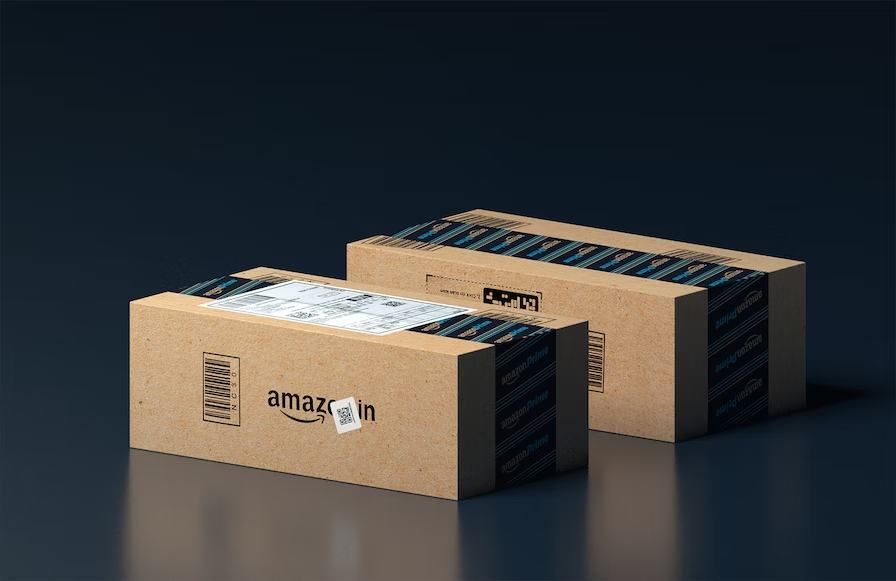
Become an Amazon Seller Partner in 2023 - Best Guide for You
Out of the multitude of platforms, that provide comfort to both shoppers & sellers- Amazon stands undefeated. To meet the increasing demands of retailers, it has introduced its FBA shipping rapid express freight service.
Now questions might arise, what is an FBA Amazon service?
FBA refers to ‘Fulfillment by Amazon.’ It means Amazon offers to store the products in its inventory, and fulfill orders & while offering customer service. This service permits the vendors to leverage the distribution network, and the customer base of this powerful platform. They use it to expand their business.
Keep scrolling through this article to know the secret to become a successful retailer on Amazon, and why it is an obvious choice of platform for them.
Guide To Becoming An Amazon Seller Partner
You can avail of the FBA service of Amazon by following these steps.
*Create a seller account on Amazon.
*Add FBA to the account.
*Setting your business as per the guidelines of the website.
*Either create the inventory or the product listings; or integrate the inventory data onto the Amazon platform.
*Prepare the products eligible to be delivered by amazon delivery.
*Sending the products to the Amazon warehouse.
After you fulfill these following steps, customers will place their orders. Amazon FBA will then fulfill these orders & send the shipping & tracking information to the respective customers.
Amazon offers 24/7 customer service to vendors & customers. As sellers under Amazon, you will not have to deal with the procedures attached to the packing, inventory, & shipping orders.
Besides, if you’re an FBA retailer under Amazon, you instantly become eligible for free shipping. In case of orders over $49 for other items & $25 for books.
Once you proceed to sell on Amazon, you become a part of the world’s largest retail destination, which is an abode for vendors of all sorts. Starting from Fortune 500 companies to artisan vendors making handcrafted commodities.
Retailers sell on Amazon for a reason. The reason being: to reach out to the plethora of customers who visit Amazon every day.
How to start selling on Amazon? Follow the guide to becoming a successful Amazon selling partner.
Registering With Amazon
Steps to register with Amazon, as a vendor:
*Keep an active mobile number at hand.
*Keep your GST or VAT number ready, along with the required documents, if you’re selling in the category where GST or VAT is not applicable.
*You need to have a functioning bank account.
*Keep your pan card details at hand.
*Last but not least, you will also be needing a functioning email id.
Registering And Launching Your Business on Amazon
Follow these steps to register and launch your business on Amazon,
1. Make sure that your phone no is linked to your customer account. Now, you will have ‘Sign In’ using your email and password.
2. In case you do not have an existing account, click on the ‘Create a new account on Amazon’ option, to get started.
3. Now enter the legal name of your organization, which is registered for taxation purposes.
4. Verify the mobile no through an OTP.
5. Now, Amazon will ask you to fill in the name of your store & product, along with the business address.
6. After that, enter the tax details.
7. Post the above procedure, select the ‘Products to sell’ option on the dashboard, & click on ‘Start Listing’.
8. You have to now enter the name of your product or any specific barcode no, that customers can use when searching for the product in Amazon’s available catalog.
9. In case you are unable to locate your product on the available catalog, click on the ‘I'm adding a product not sold on Amazon’ to create a fresh listing.
10. As a retailer you can now add the cost of the product, quality of the product, condition of the product, MRP, shipping option & amazon payment acceptance criteria.
11. Now select the ‘Save and Finish’ button to add your product to the inventory list.
12. You can now head to the selling dashboard and add the remaining details, if any. At this stage, you can also add your digital signature.
13. Click on the ‘Launch your business’ option to get started.
How Much Cost Do Retailers Have To Bear, In Order To Sell On Amazon?
Amazon offers different kinds of prices for retailers. It includes a referral fee, a weight handling fee, a closing fee, and other fees.
A referral fee is a fee that is charged by Amazon, which is a portion of the sales that are being made by selling any commodity. It varies from category to category.
Similarly, the weight handling fee refers to the fee that is incurred to deliver your order through FBA and easy shipping.
The closing fee, however, is entirely dependent on your referral fee. Whatever you pay as a referral fee, your closing fee will be in addition to that amount. This again depends on teh cost of the product.
Last but not least, the other fees are nothing major but the FBA fees de manded to pack, pick and store the order.
Conclusion
With that being said, I would like to wrap up my discussion. Although, I am quite certain that by following the above steps carefully, no one can stop you from becoming a retailer beast under Amazon.
However, I'd still suggest you play by your strengths and weaknesses. In case you have got some extra suggestions to share or some additions to make, feel free to connect with us in the comments section below.
We’d love to hear back from you.
Author Bio:
Emily Bryant is a professional content writer. She completed her graduation in Psychology from the University of Montreal, Canada. She is very passionate about writing in many journals and magazines. She is the owner and co-founder of RSLonline. She is also associated with many authority blog sites such as SB Newsroom, Dream Land Estate, Emblem Wealth, Tour And Travel, Dream And Travel, Tech Net Deals, Tech Trends Pro, Online Marketing Tools, WP Blogger Tips, Online Health Media, Mashum Mollah, Follow The Fashion.
Appreciate the creator